

Setting the Cart Message
The Cart Message allows you to provide additional information to users in the car
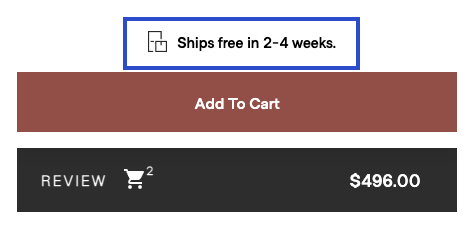
The Cart Message is a place where you can place text for a user in the cart to provide additional context. For instance, you may want to let your customers know if there is a lead time or if any discounts are available.
An example can be seen below of what the cart message might look like is outlined in blue.
<epigraph-configurator id="epigraphConfigurator".../>

<script>
  // The following call is only an example. Retriece lead times from API
  let leadTimeString = getLeadTimeString();

  //Create a variable that can be used to reference the Epigraph Configurator Core API.
  let CONFIGURATOR_API = document.getElementById("epigraphConfigurator").api.core;

  //Next, we'll set the Cart Message
  CONFIGURATOR_API.setCartMessage(leadTimeString);

</script>
Updated over 1 year ago
What’s Next
You've customized your cart message, now lets see what happens when someone presses "Add To Cart"
Did this page help you?