

Loading a default configuration at launch
Recipe for loading a different configuration at startup than the default
Even though each experience will ship with a default configuration that it loads, it is possible to override it at runtime. Just like most functionalities, the feature is exposed as an attribute on the <epigraph-configurator-lite> web-component.
Here is an example of loading a different configuration at start:
<epigraph-configurator-lite
    id="epigraphConfiguratorLite"
    shared-config-id="6b1b5d3e-81f3-494e-8c2e-7348c4bf7368"
/>
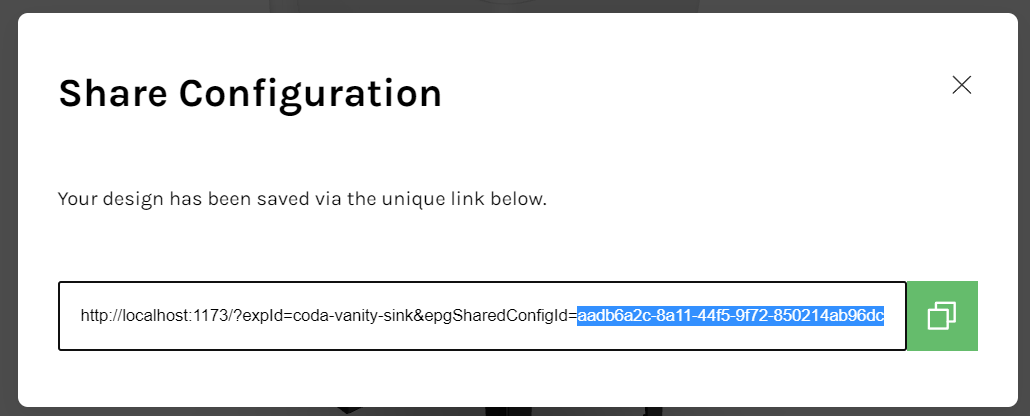
The value for the attribute "shared-config-id" can be retrieved by following the steps mentioned below:
- Launch the configurator session in a browser.
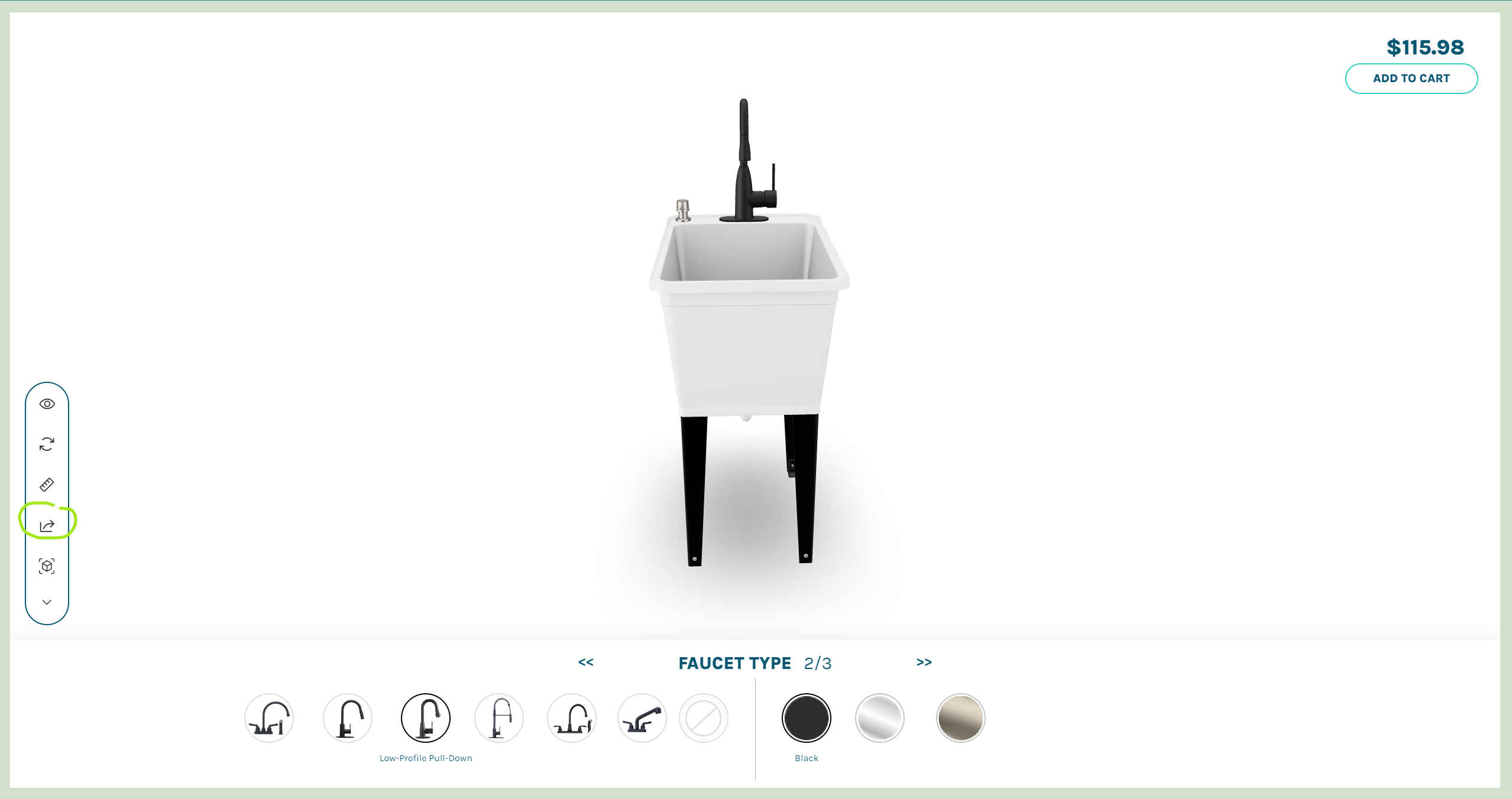
- Build the configuration you wish to load and hit the share button
- Copy the unique ID that got generated for this configuration and this value can now be used for "shared-config-id"
Updated over 1 year ago
Did this page help you?