

Improved
v1.10.0 Configurator - Release Notes
over 2 years ago
Release Date: 01.10.2024
Overview
Pre-configurations are here! Take advantage of some of your customer's most popular builds with the ability to include Pre-Configurations in the Build Tab. Learn more about this and other exciting Configurator enhancements included in this update, below!
New Features and Enhancements
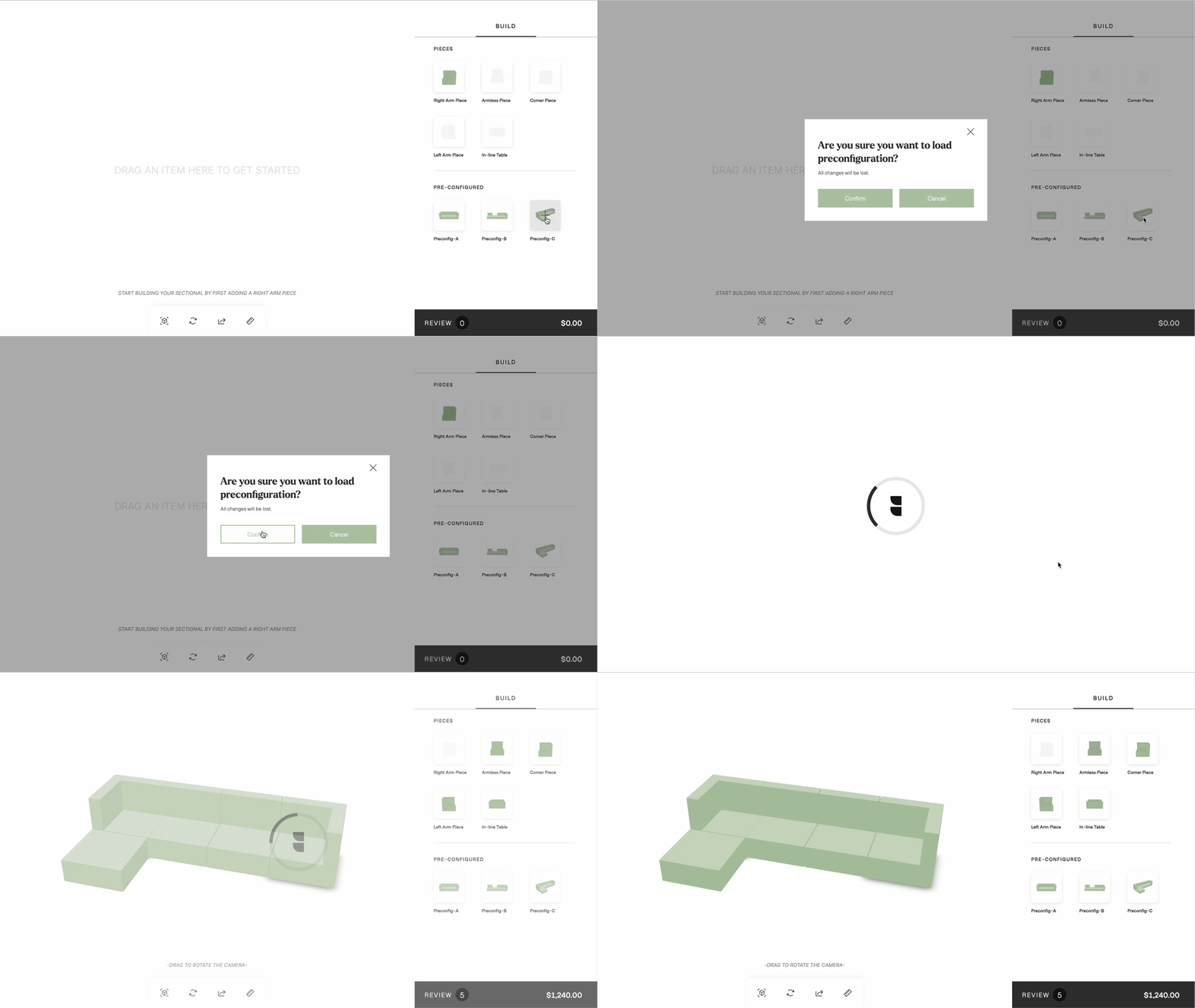
PRE-CONFIGURATIONS IN THE BUILD TAB
- The Pre-Configured option now allows the capability to seamlessly incorporate recommended builds directly in the Build tab, giving your customers a super handy starting point or a chance to check out your top-selling options.
- Simply share links from the configurator of the builds you would like to include and we will render an image for use as the thumbnail.
- Pre-configurations are turned off by default, if you would like to incorporate this feature, please reach out to Jacob Winn – Technical Account Manager ([email protected]).
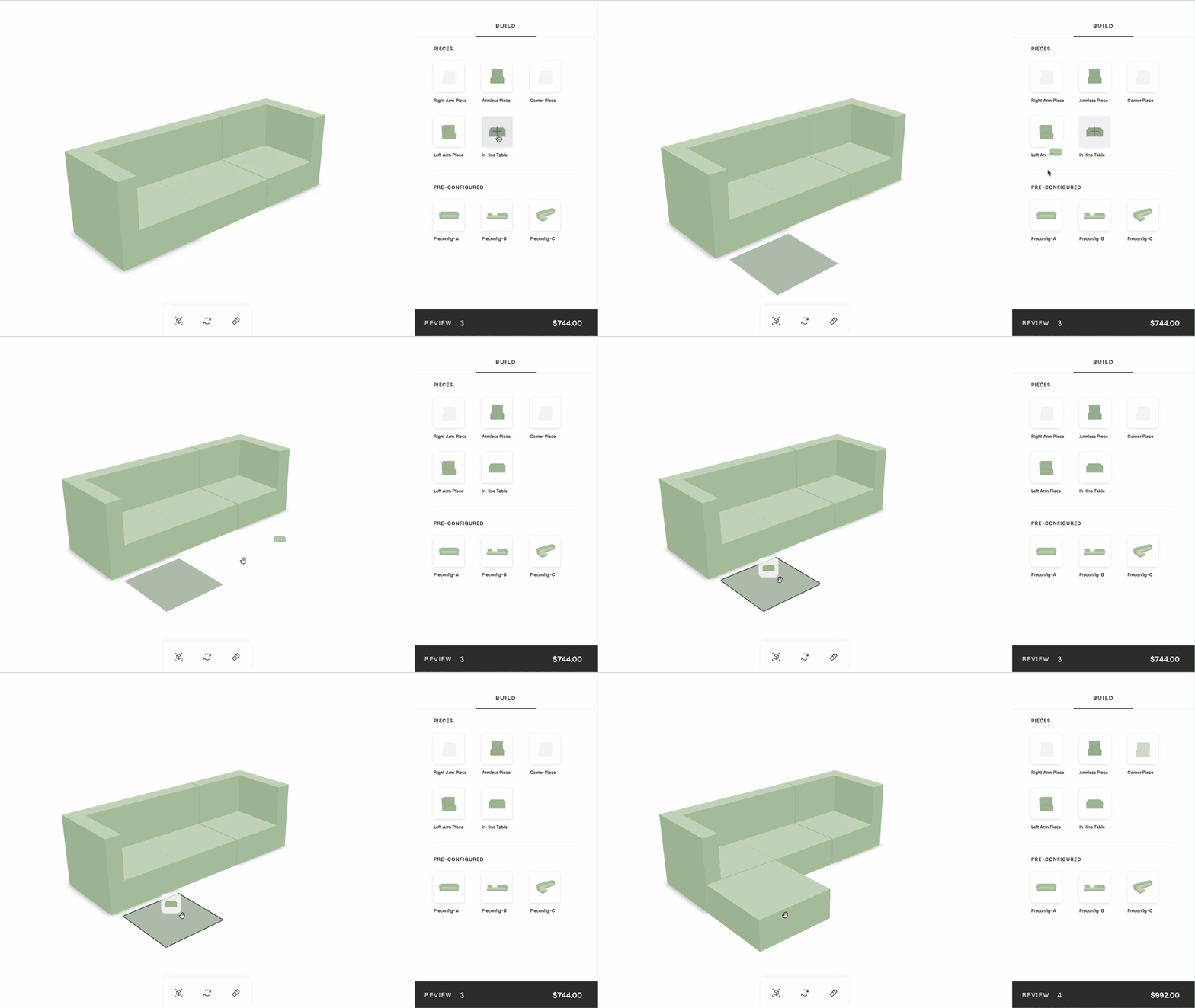
UPDATED PLACEMENT SHADOW AND OUTLINE
- This enhancement works for both Drag-and-Drop and Click-To-Add functionality.
- When bringing an item into the scene, users will now see a square grey shadow that indicates optional placements. A green outline will appear once a user has successfully positioned the item.
EMPTY SCENE TEXT
- "Empty Scene” might make sense to users who understand the context of 3D, but we’ve found that it can be confusing unless you know the experience you are engaging with is 3D.
- To help drive more engagement, we’ve updated the empty scene text to provide more context to the user on what to do next once the experience has loaded, such as “Drag an item here to get started” or “Select an item to get started."
- These are also customizable, so if you would like custom text, let us know, and we can change them per project.
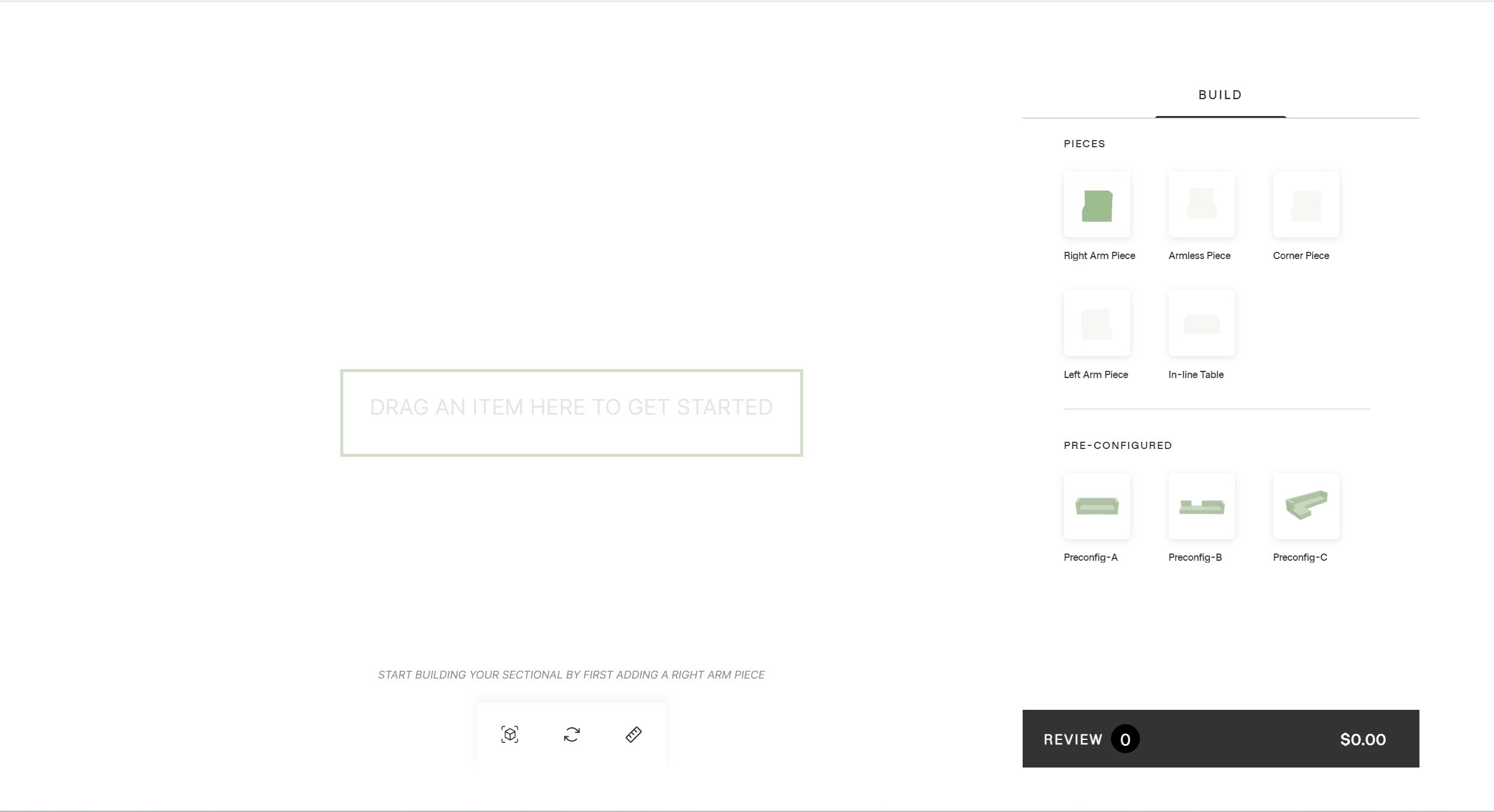
IMAGE DRAGGING
- Previously when moving an item, a 3D object was dragged around and would collide with items in the scene. This update will change the way drag and drop works slightly.
- Now, when a user is dragging an item in the scene, the thumbnail image of the selected piece will appear under the user’s finger or mouse to show what item they are dragging.
- This drastically improves the performance of the Configurator and still provides the needed context to the user about what to expect when moving an item.
Additional Info
If you wish to maintain your previous functionality, please set your Configurator version to v1.9.6.